
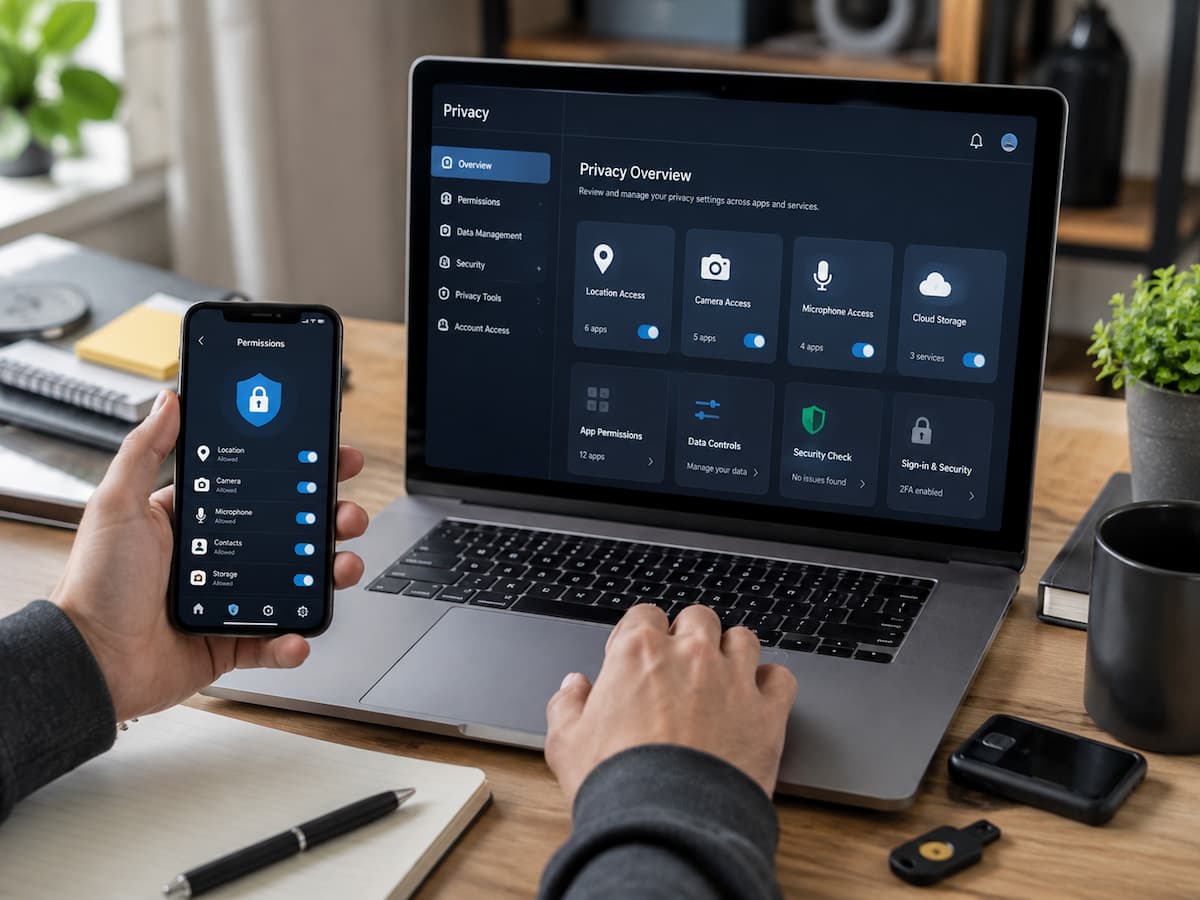
Why Personal Data Protection Matters
Personal data is valuable because it reveals who you are, what you do, and how you use digital services. Information such as your email address, location history, shopping activity, interests, and online behavior can help services personalize experiences. However, the same information can create privacy risks when someone collects it unnecessarily, stores it insecurely, or shares it without your awareness.
Many privacy problems do not happen because someone intentionally shares sensitive information. They often happen because people accept default settings without reviewing them. An app may request access to contacts even though its main function does not require them. A photo app may request location information that is only useful in certain situations. A game may ask for permissions that seem unrelated to gameplay.
Good privacy habits are about making informed choices. You do not need to avoid every app or disconnect from digital services. Instead, you can decide what information each app genuinely needs and revoke unnecessary access.
Privacy principle: Provide apps the information they need to work, but avoid providing extra access simply because an app requests it.
What Information Everyday Apps Collect
Different apps collect different types of information depending on their purpose. A navigation app needs location data to provide directions. A messaging app needs access to communication features. A banking app needs information to verify your identity and manage your financial services.
The important question is not whether an app collects data. Many useful apps must collect some information to function. The important question is whether the amount of information collected matches the service being provided.
| Type of Data | Examples | Why Apps May Use It |
|---|---|---|
| Account information | Name, email address, profile details | Creating and managing accounts |
| Device information | Operating system, device model, app version | Compatibility and troubleshooting |
| Location data | Current location or location history | Maps, delivery services, local recommendations |
| Usage information | Features used, activity patterns | Improving services and analytics |
| Contacts and files | Address books, photos, documents | Sharing, backups, communication features |
Understanding these categories helps you make better decisions. Instead of automatically accepting every request, you can evaluate whether access is necessary.
Understanding App Permissions
App permissions control what features and information an application can access on your device. When you install an app, it may ask for permission to use your camera, microphone, location, contacts, storage, notifications, or other device features.
Permissions are designed to improve functionality, but they can also create unnecessary exposure when left unchecked. For example, a video calling app may need camera and microphone access. A simple calculator app typically does not require either of these permissions.
Common permission categories
| Permission | Common Uses | Questions to Ask |
|---|---|---|
| Camera | Photos, video calls, scanning | Does this app need to capture images? |
| Microphone | Voice calls, recordings | Does voice input support the main feature? |
| Location | Maps, local services | Does the app need my location all the time? |
| Contacts | Finding friends or sharing | Is contact access necessary? |
| Storage | Saving files or photos | Does the app need access to my files? |
A useful habit is asking one simple question: “Would this app still work if I denied this permission?” If the answer is yes, consider limiting access.
How to Review and Manage App Permissions
Many people review permissions only when installing an app. However, permissions can change over time, and apps you installed months or years ago may still have access that you no longer remember approving.
Review your device settings regularly and check which apps have access to sensitive features. Both major mobile operating systems provide privacy controls that allow users to view and change permissions.
Simple permission review process
- Open your device privacy settings.
- Review permissions by category, such as location or microphone.
- Check which apps currently have access.
- Revoke access from apps that no longer need it.
- Delete apps you no longer use.
Do not focus only on suspicious-looking apps. Even trusted apps may keep permissions that are no longer necessary. Regular reviews help maintain control as your digital habits change.
Adjusting Privacy Settings for Better Control
Most apps include privacy settings, but many users never open them. Default settings are designed for general users, not necessarily for your personal preferences. Spending a few minutes reviewing settings can help you decide what information you want to share.
Look for options related to advertising preferences, location sharing, data collection, personalized recommendations, public profiles, and connected devices. Some services allow you to download information they have collected about you or request deletion of certain data.
Privacy settings should match how you use the service. For example, a navigation app may need location access while you use it, but it may not need constant background tracking.
Strengthening App Account Security
Privacy and security are connected. Even if an app collects only necessary information, a weak account password can still put your information at risk.
Use unique passwords for important accounts and enable multi-factor authentication whenever available. This is especially important for email accounts, financial apps, cloud storage services, and accounts containing personal documents.
| Security Practice | Why It Helps |
|---|---|
| Unique passwords | Prevents one compromised account from affecting others. |
| Multi-factor authentication | Adds another verification step beyond passwords. |
| Updated recovery information | Makes account recovery easier. |
| Security alerts | Helps detect unusual activity quickly. |
Choosing Apps More Carefully
Privacy protection starts before installation. Before downloading an app, consider whether it comes from a trusted source and whether the developer provides clear information about privacy practices.
Check reviews carefully, but remember that ratings alone do not guarantee good privacy. A popular app can still collect more information than you are comfortable sharing. Be especially careful with apps that promise unrealistic results, request excessive permissions, or have unclear ownership information.
Why App Updates Matter for Privacy
Keeping apps updated is one of the easiest privacy and security habits. Developers regularly release updates to fix bugs, improve performance, and address security weaknesses.
Old versions of apps can still have problems that newer releases have already fixed. Using automatic updates can help reduce the chance of running outdated software. Your device operating system also matters. Security improvements often depend on both updated apps and an updated operating system working together.
Protecting Data on Public Networks
Public Wi-Fi networks are convenient, but they require caution. Airports, cafes, hotels, and public spaces often provide internet access that many people share.
Avoid performing sensitive activities on unfamiliar networks when possible, especially actions involving financial information or important accounts. ensure that websites and apps use secure connections and avoid installing unexpected software or certificates. A safer approach is using trusted mobile data when handling highly sensitive tasks.
Reducing Unnecessary Tracking
Many apps use tracking technologies to understand user behavior, improve services, or personalize content. Some tracking can be useful, but users should understand their choices.
Review advertising preferences and privacy controls available in your device and apps. Limit access to information that is not required for the service you want. Remember that privacy is not about eliminating every form of data collection. It is about understanding what happens with your information and making informed decisions.
Being Careful With Information Sharing
Many privacy problems come from information users voluntarily share. Public profiles, shared photos, location tags, and personal details can reveal more than expected.
Before posting information online, consider whether it could reveal sensitive details about your identity, routines, workplace, home, or personal relationships. Simple habits such as reviewing audience settings and limiting unnecessary profile information can reduce accidental exposure.
Creating a Regular Privacy Maintenance Routine
Privacy management works best when it becomes a regular habit rather than a one-time project. Digital services change frequently, and your own needs change too.
A simple privacy routine
- Review app permissions every few months.
- Remove apps you no longer use.
- Update important applications.
- Review account security settings.
- Review connected third-party services.
- Delete unnecessary stored information when possible.
A small amount of regular attention can prevent many common privacy problems.
Conclusion
Protecting personal data while using everyday apps does not require avoiding technology. It requires awareness and better digital habits. By reviewing permissions, adjusting privacy settings, securing accounts, choosing apps carefully, and maintaining your devices, you can gain more control over your information.
The goal is not perfect privacy. The goal is making thoughtful choices about what information you share and which services you trust. Small improvements repeated over time create a safer and more manageable digital experience.
FAQs
1. Are all apps that collect personal data dangerous?
No. Many apps collect information because it is necessary for them to function properly. It is important to understand what data an app collects, why it does so, and whether you accept this method of data collection. It is reasonable for navigation apps to collect location data, but requests for irrelevant access require closer scrutiny. By checking permissions and privacy settings, you can make informed choices.
2. Should I deny all app permissions?
No. Blocking all permissions can prevent some useful features from working correctly. A better approach is to review each request individually and determine whether it is appropriate for the app’s purpose. Grant necessary permissions, limit optional ones, and revoke access when the app no longer needs it.
3. How often should I check app permissions?
For many users, checking permissions every few months is a practical approach. You should also review permissions after installing a large number of new apps, switching devices, or noticing unusual app behavior. Regular checks help prevent older apps from retaining unnecessary access permissions.
4. Is my personal data deleted when I remove an app?
Usually not. Removing an app from your device does not always delete your account or the information stored by the service. If you want to delete your data, you may need to delete your account via the app provider’s official settings.
5. Is using public Wi-Fi always unsafe?
Not necessarily. Public Wi-Fi can be convenient, but users need to exercise greater caution when using networks they do not manage. Avoid unnecessary sensitive actions, keep your software up to date, and use secure connections. Exercise extra caution when accessing financial or important personal accounts.
6. What is the first step I should take to improve my privacy?
Start by checking your phone’s permission settings. This is simple, takes little time, and usually reveals which apps have access to permissions you no longer need. Next, strengthen your account security and review the privacy settings of the services you use most often.

ZapKido Editorial Team creates practical guides covering digital life, productivity, everyday technology, smart home solutions, and home organization. Our content focuses on clear explanations, useful settings, practical habits, and straightforward solutions that readers can apply in everyday situations. We aim to make technology and everyday tasks easier to understand without unnecessary complexity.