
Start With the Problem, Not the Device
The easiest way to overcomplicate a smart home is to shop by product category instead of household need. Seeing a new sensor, display, camera, or automated appliance can make it tempting to find a reason to use it. A more reliable method is to notice a repeated annoyance first. Perhaps lights are often left on, the heating needs frequent manual adjustments, an outdoor appliance is difficult to reach, or you want a simple reminder when a door has been left open.
Write down the problem in one sentence before researching products. “I want the hallway light to turn on automatically at night” is much more useful than “I need smart lighting.” The first statement provides you a clear result to evaluate. It may require only one smart bulb, switch, or motion sensor instead of a complete lighting system.
If you cannot explain exactly what a device will make easier, safer, or more convenient, it probably does not belong on your shopping list yet. This approach also protects your budget. Once you have solved the original problem, take some time to adjust to the change. If it works well, you can then decide whether another device genuinely adds value.
Choose Devices That Solve Everyday Problems
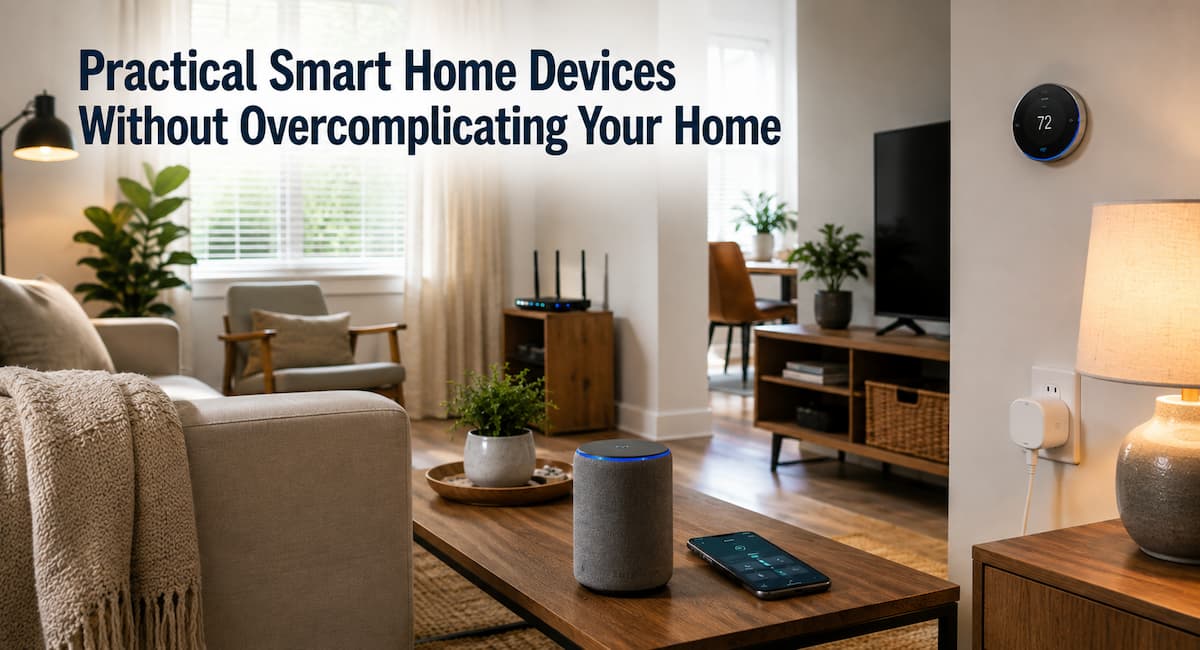
Some smart home products are easier for beginners because their purpose is straightforward. Smart plugs, simple lighting controls, temperature devices, and basic sensors can often provide useful improvements without requiring a complicated automation system. The best choice still depends on your home, but the table below shows how different categories can fit common needs.
| Device Type | Useful For | Potential Complication |
|---|---|---|
| Smart plug | Controlling suitable lamps and small appliances | Not every appliance should be remotely switched. |
| Smart bulb | Flexible lighting schedules and control | May become inconvenient if someone regularly uses the wall switch |
| Smart thermostat | Heating schedules and temperature management | Compatibility with the heating system must be checked. |
| Door or motion sensor | Simple alerts and automations | Too many alerts can become irritating. |
| Smart speaker or display | Voice control and centralized routines | Adds another account and device ecosystem |
A useful first device is not necessarily the most advanced one. It is the device that produces a noticeable improvement while requiring little ongoing attention. For many homes, one well-chosen device is more valuable than five products that are only occasionally used.
Understand Smart Home Ecosystems
A smart home ecosystem is the combination of devices, apps, accounts, hubs, and services used to control connected products. Beginners often focus on the device itself and overlook the system behind it. Before buying, check which platform the product supports and whether your existing devices use the same platform or can work together through a common standard.
It is helpful to think of the ecosystem as the language your devices use to cooperate. If every product requires a different app, account, and control method, everyday use can become frustrating. A smaller number of compatible devices usually makes troubleshooting easier too.
Do You Need a Hub?
Not always. Some devices connect directly through Wi-Fi, while others use technologies such as Thread, Bluetooth, or another local protocol and may rely on a compatible hub or controller for certain functions. A hub can be useful when it provides better coordination, local control, or support for several types of devices, but it is another piece of equipment that must be maintained.
Before purchasing a hub-based product, consider whether you truly need the capabilities it offers. If a simple device can accomplish your goal without an additional box, account, or service, the simpler arrangement may be preferable.
Why Compatibility Standards Matter
Smart home compatibility has improved, but product labels can still be confusing. One term worth understanding is “matter,” an industry standard designed to improve interoperability between compatible smart home products and platforms. Matter works over familiar networking technologies such as Wi-Fi, Ethernet, and Thread, while Bluetooth Low Energy is used during setup.
Matter does not mean that every Matter device will work in exactly the same way on every platform. Features can depend on the device, controller, platform, and software version. It is therefore still important to check the specific compatibility information before purchasing.
For a beginner, the important lesson is simple: do not buy based only on a familiar brand name. Be sure to check the supported standards and the exact functions you need. A device that fits your existing setup is usually more useful than one with a longer feature list.
Choose the Right Connection
Connectivity affects how a smart device behaves in your home. Wi-Fi products are convenient because many homes already have a Wi-Fi network, but adding many connected devices can increase the number of devices your router needs to manage. Thread is designed for low-power connected devices and can be useful for sensors and other small smart home products. Bluetooth can be useful for nearby connections and setup, while Ethernet can provide a stable wired connection for devices that remain in one place.
There is no universal winner. A fixed device near your router may work perfectly over Wi-Fi, while a small battery-powered sensor may be better suited to a low-power technology. The important question is whether the connection matches the device’s location and purpose.
| Connection | Common Strength | What to Consider |
|---|---|---|
| Wi-Fi | Easy to find and widely supported | Coverage and network capacity |
| Thread | Low-power smart home networking | Requires compatible infrastructure for some uses |
| Bluetooth | Simple nearby connectivity | Range and smart home integration vary. |
| Ethernet | Stable wired connection | Requires a physical network connection |
Put Security Before Convenience
Every connected device adds another piece of technology that needs sensible security. This does not mean you should avoid smart home devices. It means security should be part of the buying decision rather than something considered after installation.
Seek products that receive software or firmware updates and have clear manufacturer documentation. Change default passwords where applicable, use strong unique credentials, enable multi-factor authentication when offered, and keep your router and smart home software updated.
NIST’s consumer IoT guidance highlights capabilities such as device identification, secure configuration, data protection, access control, software updates, and security-state awareness. These ideas provide a useful framework when evaluating connected products. Security is especially important for cameras, locks, alarms, and other products that can expose sensitive information or affect physical access to your home. Convenience should never be the only deciding factor for these devices.
Think About Privacy Before Adding Sensors
Smart devices can collect information about how people use their homes. Depending on the product, that may include motion events, temperature readings, voice interactions, video, location-related information, or usage patterns. Before installing a device, understand what information it collects and whether the product requires a cloud account.
This does not mean every cloud-connected product is inappropriate. Cloud services can provide useful features such as remote access, notifications, backups, and integration with other services. The important point is to understand the trade-off. Consider whether the device needs a microphone or camera for the function you actually want. A temperature sensor does not need to observe a room visually. Likewise, a light control does not need access to information unrelated to lighting.
Please review the privacy settings during setup rather than accepting every optional feature automatically. If a service allows you to limit data collection, disable unnecessary features. Also consider who has access to the account and whether old accounts should be removed when a device is no longer used.
Keep Automation Simple
Automation is where a smart home can become genuinely useful, but it is also where unnecessary complexity grows fastest. A routine with one trigger and one action is usually easier to understand than a chain involving several conditions, devices, schedules, and exceptions.
Imagine that you want the porch light to turn on after sunset when someone arrives home. That is a reasonable automation because the desired result is easy to explain. A complicated routine might also check several sensors, adjust indoor lights, change the thermostat, start music, and send notifications. Each extra action creates another possible point of failure.
Start with the smallest useful version. Run it for a week or two before adding anything. If you keep overriding an automation, that is useful information. The routine may be badly timed, too sensitive, or solving a problem that does not actually matter. Manual control should also remain available for important everyday functions. Smart technology should support normal household habits rather than make basic tasks impossible when an app or network connection is unavailable.
Consider Energy Use and Efficiency
Smart devices can help manage energy, but “smart” does not automatically mean energy efficient. A connected product still consumes electricity, and how you use it determines the overall effect. A smart thermostat can help manage heating schedules, while connected lighting and energy monitoring can make usage easier to understand. ENERGY STAR’s guidance for managing energy in smart homes also focuses on coordinated devices, schedules, occupancy information, and energy-use feedback.
Think about the actual behavior you want to change. If a smart plug simply lets you switch a lamp on and off from your phone while you are already sitting beside it, its value may be limited. If it automatically turns off suitable equipment during periods when you normally forget to do so, the benefit may be more meaningful. Do not automate energy-intensive equipment without checking manufacturer instructions. Some appliances are not designed to be repeatedly switched remotely, and certain equipment has specific startup or shutdown requirements.
Plan Installation and Daily Use
A smart device should fit the physical layout of your home as well as its digital setup. Check whether a sensor can detect movement from its intended position, whether a smart plug leaves enough room for the surrounding furniture, and whether a Wi-Fi device has a reliable signal where it will be installed.
Also think about the people who live with you. A system that makes perfect sense to the person who installed it may be confusing to everyone else. A physical switch should remain understandable. Shared devices should have appropriate account access. Voice commands should not be the only way to perform important tasks.
Before permanently mounting a sensor, test it in the intended location. This simple step can prevent false alerts and poor detection. Battery-powered devices should also be positioned so that replacing the battery does not require moving furniture or climbing unnecessarily.
Avoid Common Sources of Smart Home Complexity
Most smart homes become difficult to manage through accumulation rather than one bad purchase. Every additional brand, app, hub, account, automation, and notification adds another layer to the system.
A practical way to control the situation is to establish a few boundaries. For example, you might decide to use one main smart home platform, avoid devices that require an unnecessary subscription, and add new products only when they solve a recurring problem.
Watch for these warning signs:
- You need several apps to perform basic household tasks.
- You cannot remember which hub controls a particular device.
- Notifications are constantly being ignored.
- An automation requires frequent manual corrections.
- A device has features you never use but still requires regular maintenance.
- A product depends on a service you are uncomfortable losing access to.
When these signs appear, removing a device can be just as useful as adding one. A smart home should become easier to live with over time, not harder.
Create a Simple Maintenance Routine
Smart home maintenance does not need to become another household chore. A short review every few months is usually enough for many basic setups. Check for firmware updates, remove devices you no longer use, review account access, replace weak batteries, and confirm that important automations still behave as expected.
Keep a simple record of what you have installed. You do not need a complicated spreadsheet. A note containing the device name, location, platform, and account used can be enough. This becomes particularly useful when troubleshooting a device months after installation.
Review notifications too. If you routinely dismiss an alert without reading it, ask whether it is still useful. Good notifications should help you notice something that matters, not create digital noise. When replacing a device, remove the old product from your account rather than simply unplugging it. If the manufacturer provides a factory-reset procedure, follow it before disposing of or giving away the hardware.
A Practical Buying Checklist
Before purchasing a smart home device, take a few minutes to answer the following questions:
- What specific household problem does this device solve?
- Can I explain the benefit in one sentence?
- Does it work with the smart home platform I already use?
- Does it support a useful connectivity standard for its location?
- Will I need a new hub, account, or subscription?
- How will the device receive security and software updates?
- What information does it collect?
- Does it still provide basic control if the internet is unavailable?
- Will everyone in the household understand how to use it?
- What happens if the manufacturer stops supporting it?
If several answers are unclear, pause before buying. Product research saves time by preventing an incompatible device from becoming another unused gadget in a drawer.
What to Do When a Smart Device Stops Working
When a smart device fails, avoid immediately deleting and reinstalling everything. Start with the simplest possible cause. Check whether the device has power, whether your home network is working, and whether the device appears online in its app. For battery-powered products, check the battery before changing more complicated settings.
If only one device is affected, investigate that device first. If several devices fail simultaneously, the problem may involve the router, hub, platform service, or wider network. This distinction can save considerable time.
A Simple Troubleshooting Order
- Check power or battery status.
- Check the home’s internet or local network.
- Check whether the device appears connected in its app.
- Look for a firmware or app update.
- Restart the affected device if appropriate.
- Check the manufacturer’s support documentation.
- Reset and reconfigure the device only as a later step.
Keeping troubleshooting simple is another reason to avoid building a system with unnecessary layers. The fewer dependencies a device has, the easier it is to identify where a problem begins.
Conclusion
Selecting effective smart home gadgets isn’t about stuffing a house with tech; it’s about taking little bits of friction out of everyday life. Find a real problem you wish to solve, then pick the simplest instrument that can handle it. Then look into compatibility, connectivity, security, privacy, energy use, installation, and long-term maintenance.
A smart home doesn’t need a dozen devices or intricate automations to be useful. In many circumstances, a handful of carefully chosen items can provide most of the convenience consumers are searching for. This keeps the system understandable and also makes future updates easy because you know exactly what belongs in the home and what does not.
The best test is simple: Once the technology is installed and the novelty wears off, does your home still feel easier to manage? If the response is yes, you probably did a good job. If the technology needs continual attention, troubleshooting, or work-arounds, a simpler setup can be the smarter update.
FAQs
There is no one device that fits every home. A good starting product is something that answers a problem you already have and doesn’t require a lot of maintenance. Smart plugs, basic lighting controls, simple sensors, and compatible thermostats are good places to start. Select according to the task, not popularity. But if you don’t need to handle something remotely that much, is there any point in making it smart?
2. Do all smart home devices require Wi-Fi?
No. Some are Wi-Fi enabled, but others can use Thread, Bluetooth, Ethernet, or other communications technologies. The best solution depends on device and location. Wi-Fi is convenient because it is already prevalent in houses, and low-power technologies can be useful for small battery-powered sensors. Always find out what kind of infrastructure a device needs before you buy it.
3. Is matter sufficient to ensure that all smart devices will function together?
No. Matter is designed to increase interoperability, but compatibility is still dependent on device type, platform, controller, software version, and features provided. A Matter label is useful information, not a guarantee that all features will operate identically across different ecosystems. Check compatibility information from the manufacturer for the device and platform you want to utilize.
4. Should I buy all my smart devices from one brand?
One major ecosystem can make a smart home easier to manage, since you might have fewer apps and fewer compatibility questions. But you don’t need to buy all your devices from one company. Matter and other standards can make it easy to mix-and-match compatible items from different companies. The trick is to choose a cohesive control system rather than gathering disparate items.
5. Are smart home devices safe for privacy?
Privacy is product-specific and is determined by the software, account settings, data practices, and information collected by the product. Review the manufacturer’s privacy information before buying and think about whether you want the gadget to have capabilities such as microphones, cameras, the ability to track your position, or cloud storage. Where feasible, disable superfluous rights and use robust account security. Devices that collect sensitive information need to be handled with greater care than simple controls such as basic lighting devices.
References
- National Institute of Standards and Technology (NIST), Profile of the IoT Core Baseline for Consumer IoT Products.
- National Institute of Standards and Technology (NIST), IoT Cybersecurity Capabilities Catalog.
- Connectivity Standards Alliance, Build With Matter.
- Connectivity Standards Alliance, Matter FAQs.
- ENERGY STAR, Smart Home Energy Management Systems.

ZapKido Editorial Team creates practical guides covering digital life, productivity, everyday technology, smart home solutions, and home organization. Our content focuses on clear explanations, useful settings, practical habits, and straightforward solutions that readers can apply in everyday situations. We aim to make technology and everyday tasks easier to understand without unnecessary complexity.