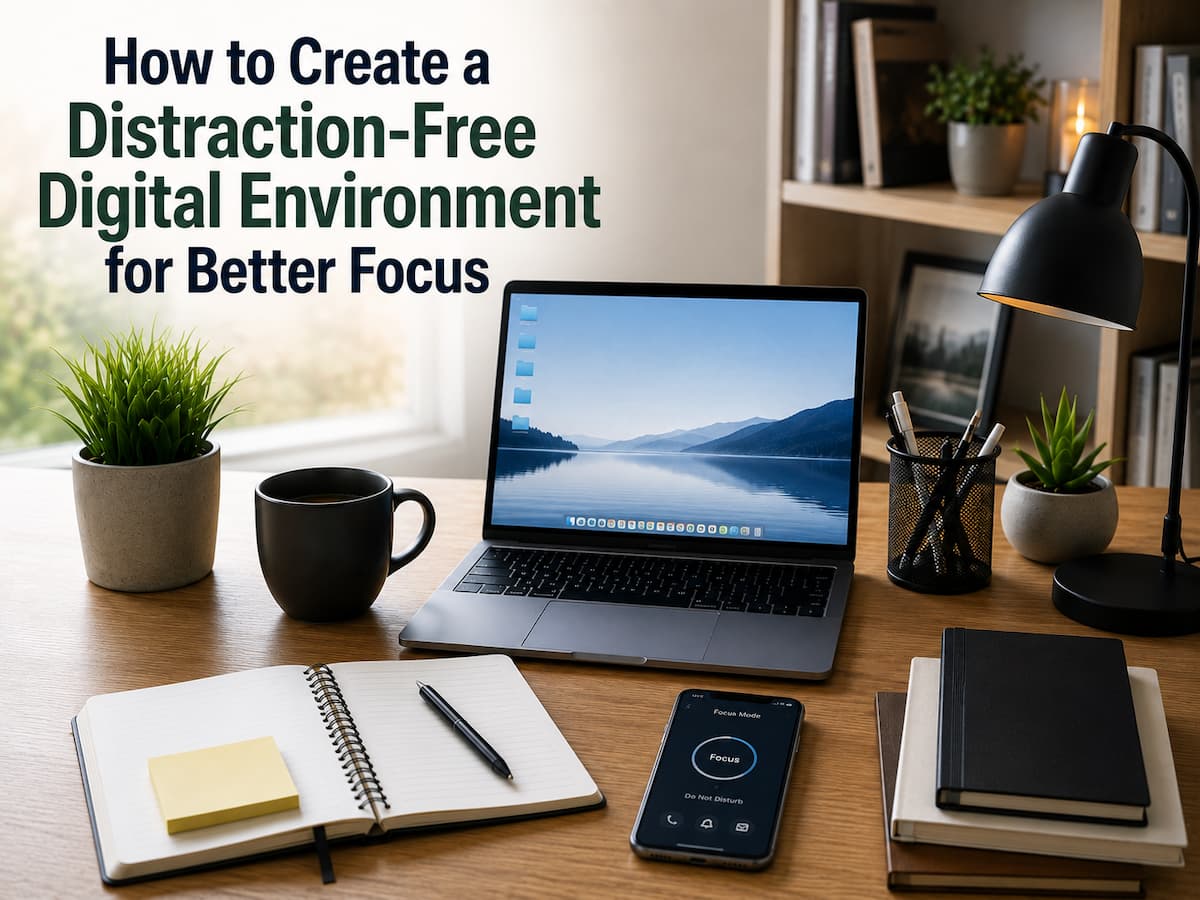
How to Create a Distraction-Free Digital Environment for Better Focus
Modern technology greatly enhances workflow, communication, and information availability. The same technological advancements that facilitate daily living also have the potential to annoy us at all times. Distractions like constant texts, unending tabs on our browsers, overcrowded desktops, and apps that aren’t necessary can subtly impair our focus. Many individuals struggle to focus, not because they don’t want to, but because everything in their digital world competes for their attention. Even the simplest of tasks can become frustrating when your phone is continually beeping or when your PC is full of unnecessary programs.
Avoiding technology entirely is not the only way to create a distraction-free digital environment. This means you should ensure your digital tools and routines support your objectives rather than derail you. A more positive connection with technology, better concentration, fewer distractions, and organized digital spaces are all within your reach with the help of this book. These tactics can help you create a more peaceful and effective digital experience, whether you’re a student, remote worker, professional, or just someone who wants greater control over daily duties.
Realizing the Decrease in Concentration Caused by Digital Distractions
Digital diversions can be subtle at times. A phone notice or incoming message is one example of an interruption that happens loudly. Some occur covertly, like reaching for email every few minutes, opening extra tabs in your computer, or hopping between apps without a rhyme or reason.
The ability to focus on a single activity at a time is crucial to human performance. Your attention needs a little break as you shift gears from one task to another. Tasks may take longer and mental tiredness levels rise due to this continuous switching. The same issues that arise from a physically disorganized workplace also manifest in a disorganized digital one. You have to work harder to concentrate when your screen is cluttered with icons, files, and applications.
Common Digital Distractions
| Digital Distraction | How It Affects Focus | Simple Solution |
|---|---|---|
| Frequent notifications | Breaks concentration and creates repeated interruptions | Disable unnecessary alerts and keep only important ones |
| Too many open tabs | Makes it harder to identify the current task | Close unused tabs or save them for later |
| Social media checking | Encourages short attention cycles | Set specific times for social platforms |
| Unorganized files | Creates frustration and wastes searching time | Create simple folders and naming systems |
The goal is not to remove every possible distraction. That is unrealistic. Instead, the goal is to remove unnecessary interruptions so your attention can go toward things that matter. A focused digital environment means using devices intentionally. It is about making your devices work according to your priorities.
Auditing Your Current Digital Environment
Before making changes, it helps to understand what is currently creating problems. Many people try productivity apps or new systems without first identifying the real sources of distraction. A digital audit is a simple review of your devices, applications, and online habits. The purpose is not to judge your current routine. It aims to discover what creates unnecessary friction in your day.
Start With Your Most Used Devices
Begin by looking at the devices you use most often, such as your smartphone, laptop, or tablet. Ask yourself a few questions:
- Which apps do I open without thinking?
- Which notifications interrupt me most often?
- Which files or folders are difficult to find?
- Which digital activities usually waste my time?
- Which tools actually help me complete important tasks?
You may discover that a few small issues create most of your distractions. For example, dozens of unnecessary email alerts may create more interruption than social media itself.
Create a Digital Distraction Inventory
| Area | What to Review | Possible Improvement |
|---|---|---|
| Smartphone | Apps, notifications, home screen layout | Remove unused apps and simplify the first screen |
| Computer | Desktop files, browser extensions, startup programs | Remove clutter and reduce automatic distractions |
| Subscriptions and message frequency | Unsubscribe from unnecessary updates | |
| Cloud storage | Duplicate files and unclear folders | Create organized storage categories |
A common mistake is changing everything at once. Large digital cleanups often fail because they require too much effort. A better approach is to improve one area at a time and build systems that are simple to maintain.
Managing Notifications and Interruptions
Notifications are designed to capture attention. While some alerts are useful, many are not urgent and do not require immediate action. Allowing every app to send notifications creates a constant stream of interruptions. A distraction-free digital environment starts with deciding which information deserves your attention immediately and which information can wait.
Separate Important Alerts From Optional Alerts
Not every notification has the same importance. A security alert from your bank and a social media recommendation should not compete for the same level of attention.
| Notification Type | Recommended Action |
|---|---|
| Security alerts | Keep enabled |
| Work-related urgent messages | Enable during working hours if needed |
| Marketing emails | Disable or unsubscribe |
| Entertainment updates | Check manually instead |
Use Scheduled Focus Periods
Many devices now include focus modes or do-not-disturb settings. These features can block unnecessary alerts during specific times. For example, you might create a focus period during:
- Deep work sessions
- Reading time
- Learning activities
- Personal planning
- Evening relaxation
The important part is creating intentional boundaries. A phone that is silent during focused work but available during breaks is usually more practical than completely avoiding technology. Turning off every notification without planning can create problems if you miss important messages. Keep essential communication channels available.
Creating a Cleaner Digital Workspace
Your digital workspace is the area where you complete important tasks. For many people, this means their computer desktop, task management system, and frequently used applications. A clean workspace reduces decision fatigue. When everything has a clear place, you spend less time searching and more time completing meaningful work.
Simplify Your Desktop
A desktop filled with dozens of files and shortcuts creates visual noise. Instead of using your desktop as permanent storage, treat it as a temporary workspace. A simple desktop setup may include only the following:
- A small number of frequently used shortcuts
- A temporary folder for current projects
- A clear background without distracting images
Create a Focus-Friendly Computer Setup
| Area | Better Practice |
|---|---|
| Desktop | Keep only essential items visible |
| Task list | Maintain a clear list of current priorities |
| Applications | Remove unused software |
| Browser | Keep only necessary extensions |
A common mistake is downloading more productivity tools without resolving existing problems. A complicated system with many apps can become another source of distraction. The best digital workspace is usually simple enough that you understand it immediately.
Organizing Apps, Files, and Online Tools
Digital clutter does not only exist on your desktop. It can also appear inside your apps, cloud storage, email accounts, and online services. Over time, people collect tools they rarely use, download duplicate files, and create confusing folder systems that slow them down. A distraction-free digital environment requires a simple organization method. The goal is not to create a complicated filing system that takes hours to manage. The goal is to make important information easy to find and unnecessary items less visible.
Review Your Installed Applications
Many devices contain apps that users downloaded for a specific purpose but no longer find useful. These unused apps can create distractions through notifications, updates, and visual clutter.
| Digital Area | Problem | Better Approach |
|---|---|---|
| Installed apps | Too many unused programs | Remove apps you no longer need |
| Cloud storage | Files stored randomly | Create simple folders based on purpose |
| Email inbox | Too many subscriptions | Keep important messages and archive the rest |
| Password managers | Duplicate accounts | Review and remove old accounts |
A useful approach is to organize files based on how you use them rather than where they came from. For example, instead of creating folders based on download dates, create categories such as Work, Personal, Learning, Projects, and Archive.
Use Simple Naming Systems
Clear file names can save you time. A file called “Document123.pdf” requires you to open it to understand what it contains. A file called “2026-Tax-Receipt-January.pdf” immediately explains its purpose. Consistency matters more than perfection. Choose a naming style and use it regularly. A good organization system should still make sense six months later when you have forgotten why you created it.
Building a Distraction-Free Browsing Experience
The internet is one of the biggest sources of digital distraction because it combines useful information with endless entertainment. A single search can quickly turn into dozens of unrelated pages, videos, and recommendations. Creating a focused browsing experience does not mean limiting your access to information. It means creating better boundaries around how you use the internet.
Reduce Browser Clutter
A browser with too many extensions, bookmarks, and open tabs can become overwhelming. Each extra element competes for your attention.
Start by reviewing:
- Unused browser extensions
- Old bookmarks
- Saved pages you never revisit
- Automatic website notifications
Create Different Browsing Modes
| Browsing Purpose | Recommended Setup |
|---|---|
| Work or study | Use only required tabs and tools |
| Research | Save useful sources instead of keeping everything open |
| Entertainment | Use intentionally during planned free time |
| Personal tasks | Keep financial and important websites organized |
One common mistake is trying to remember everything through open tabs. A browser with 40 open pages does not create productivity. It usually creates stress. Instead, use bookmarks, reading lists, or note-taking tools to store information for later.
Optimizing Your Smartphone for Better Focus
Smartphones are powerful tools, but they also capture attention. Many apps use alerts, badges, and recommendations to encourage frequent checking. The solution is not necessarily using your phone less. The solution is making your phone serve your priorities.
Redesign Your Home Screen
The first screen you see influences your behavior. If you place entertainment apps in the most visible position, you are more likely to open them automatically. A focus-friendly home screen can include the following:
- Calendar and planning tools
- Communication apps you actually need
- Useful daily tools
- Health or learning applications
Entertainment apps can remain available without being the first thing you see.
Use App Limits Carefully
Many smartphones provide screen-time tracking and app limits. These features can help you understand habits and create boundaries.
| Feature | Purpose |
|---|---|
| Screen-time reports | Shows where your time goes |
| Focus mode | Blocks selected distractions |
| App limits | Creates awareness around usage |
| Notification control | Reduces interruptions |
Use technology to manage your technology. Your device already includes many tools that can help protect your attention.
Developing Better Digital Habits
A well-organized device helps, but long-term focus depends on daily habits. Without effective habits, digital clutter slowly returns. The most effective digital routines are simple and realistic. They should fit your lifestyle instead of requiring constant effort.
Create Intentional Technology Rules
Personal rules help remove unnecessary decisions. Examples include:
- Checking email only at planned times
- Keeping phones away during focused tasks
- Closing work applications after finishing work
- Reviewing digital files regularly
These rules are not about strict control. They are about reducing automatic behavior and raising more awareness.
Avoid Multitasking Traps
Many people believe they are productive when they handle several digital tasks at once. However, switching repeatedly between tasks often reduces efficiency.
| Multitasking Style | Better Alternative |
|---|---|
| Checking messages while writing | Complete writing first, then check messages |
| Watching videos while working | Separate entertainment and work time |
| Opening many tasks together | Choose one priority at a time |
Focus improves when your brain knows exactly what it should be doing.
Creating Focus-Friendly Workflows
A workflow is the process you follow to complete tasks. When your workflow is unclear, you waste energy deciding what to do next. A focus-friendly workflow creates a predictable path from planning to completion.
Start With Clear Priorities
Before opening multiple applications, decide what result you want. For example, instead of saying “work on a project,” define the specific action: “write the introduction,” “review three documents,” or “complete the first draft.” Clear goals reduce unnecessary browsing and app switching.
Use Focus Sessions
Many people find it easier to concentrate when they work in planned periods. A focus session can be a specific amount of time dedicated to one task without unnecessary interruptions.
| Step | Action |
|---|---|
| 1 | Select one important task |
| 2 | Remove obvious distractions |
| 3 | Work without switching activities |
| 4 | Take a short break and review progress |
The exact timing is less important than creating a habit of focused work.
Maintaining a Distraction-Free Digital Environment
Digital organization is not a one-time project. New apps, files, subscriptions, and online accounts appear regularly. Without maintenance, even a clean system becomes cluttered again. A small weekly or monthly review can prevent major digital messes.
Simple Digital Maintenance Routine
- Remove unused apps
- Review notifications
- Clean temporary files
- Organize recent documents
- Check subscriptions and email lists
The best system is one that is simple to continue. Spending five minutes regularly is usually better than waiting until digital clutter becomes overwhelming. Treat your digital environment like a workspace. Small improvements regularly create better results than occasional large cleanups.
FAQs
1. What is a distraction-free digital environment?
A distraction-free digital environment refers to how you set up your devices, apps, and online habits to help you achieve your goals. This doesn’t mean giving up all your tech products; rather, it involves removing unnecessary distractions and simplifying the use of essential tools. A positive digital environment helps you stay focused by keeping your interface uncluttered, managing notifications, and developing healthy technology habits.
2. Should I delete all distracting apps from my phone?
You don’t need to delete every distracting app. A better approach is to understand how you use them and set boundaries. You can hide them from your home screen, turn off notifications, or use them only at specific times. While some people find deleting apps effective, keeping certain apps can be more beneficial.
3. How often should I declutter my digital workspace?
Most people keep their workspace tidy by performing a quick digital cleanup on a weekly or monthly basis. The specific frequency depends on how often you use your devices. Regular maintenance can prevent minor issues from escalating into major problems. Small actions—such as organizing files, reviewing apps, and adjusting notification settings—can help keep your digital environment organized.
4. Do notifications really affect productivity?
Yes. Even brief interruptions can be distracting, and it takes time to get back into the flow of work. Not all notifications are equally useful, but too many unnecessary alerts can make it difficult to concentrate. Managing notifications allows you to focus on what matters and avoid frequent interruptions.
5. What are common mistakes people make when organizing their digital environment?
A common mistake is building complex systems that are difficult to maintain. Sometimes people download too many productivity tools or create overly detailed folder structures that eventually become a burden. The ideal digital environment should be simple, functional, and easy to update. The best system is one you can actually stick to.
6. Does using fewer devices help improve concentration?
Using fewer devices can help some people, but it is not the only solution. Often, the key to success is not the number of devices, but how you configure and use them. A well-organized computer and phone enable you to work efficiently; conversely, if you have just one device that is full of distractions, you will still face difficulties.
Conclusion
Creating a distraction-free digital environment is about making technology support your attention instead of competing for it. Small changes, such as reducing unnecessary notifications, organizing files, simplifying your workspace, and building better habits, can create a noticeable improvement in daily focus.
The process does not require expensive tools or complicated systems. The most effective changes are usually simple: remove unnecessary clutter, keep important information organized, and create clear boundaries around digital activities. A focused digital environment gives you more control over your time and reduces the mental effort required to complete tasks. Start with one area, improve it gradually, and build a system that fits your everyday life.
References
- Nielsen Norman Group – Research and usability guidance on digital interfaces and user attention.
- Microsoft Support – Official guidance for Windows notifications, focus settings, and productivity features.
- Apple Support – Official documentation for Focus modes, notifications, and screen-time features.
- Google Help – Official documentation for Chrome settings, notifications, and digital organization tools.
- University of California, Irvine – Research on interruptions and the effects of task switching on work performance.

Abdul Rahman is a digital lifestyle writer and researcher who focuses on productivity, smart technology, personal finance, and practical home improvement tips. Through ZapKido, he shares simple, beginner-friendly guides designed to help readers build smarter habits, improve daily efficiency, and live a more organized digital life.