
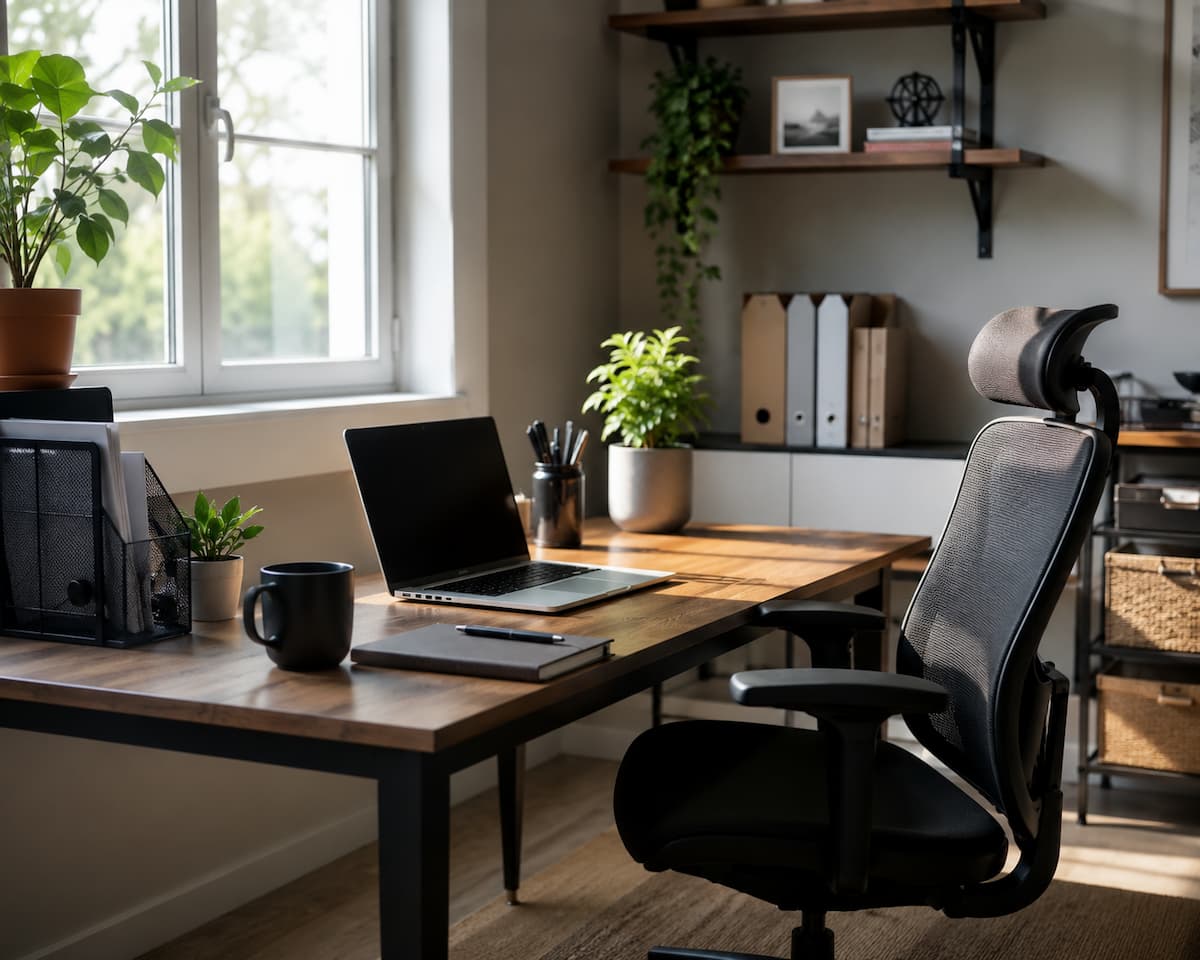
Many people think productivity means completing as many tasks as possible during the day. However, true productivity is about completing meaningful work efficiently while maintaining a healthy balance. A productive home office allows you to focus on important responsibilities without wasting unnecessary time searching for files, switching between tasks constantly, or dealing with avoidable distractions.
Unlike a traditional workplace, a home office requires more personal responsibility. A manager may be unavailable to remind you about deadlines or help you maintain structure. This freedom can be beneficial but it also means you need systems that guide your daily activities. For example, someone working from home may spend an entire morning answering random messages, checking emails repeatedly, and organizing small tasks without completing their main project. They may appear busy but achieve very little progress. A better approach is to identify the most important tasks, protect focused work time, and create routines that support concentration.
The Difference Between Being Busy and Being Productive
| Being Busy | Being Productive |
|---|---|
| Checking notifications constantly | Completing important tasks with focus |
| Starting many tasks without finishing | Prioritizing work and creating progress |
| Working longer without planning | Using time efficiently |
| Reacting to every request immediately | Managing priorities intentionally |
Expensive furniture and complicated systems do not create a productive home office. It starts with understanding how you work best and building an environment that supports your goals.
Creating a Workspace That Supports Focus
Your physical workspace has a direct impact on your ability to concentrate. Many people begin working from home by using a kitchen table, sofa, or any available surface. While such arrangements may work temporarily, an unsuitable workspace can create problems over time, including discomfort, poor posture, and difficulty separating work from personal life. A dedicated workspace helps your brain recognize when it is time to focus. Even if you do not have a separate room, creating a specific corner for work can improve your routine. The goal is not to create a perfect office but to create a place where work feels organized and intentional.
Important Elements of a Productive Home Office
| Element | Why It Matters |
|---|---|
| Comfortable chair | Supports better posture and reduces physical discomfort during long work sessions |
| Proper lighting | Reduces eye strain and helps maintain alertness |
| Organized desk | Makes important items easier to find and reduces visual distractions |
| Reliable internet connection | Supports online meetings, cloud tools, and communication |
| Limited distractions | Helps maintain concentration during important tasks |
Common Workspace Mistakes
One common mistake is creating a workspace that is too comfortable. Working from a bed or couch may feel relaxing, but these areas are usually associated with rest rather than focused activity. This can make it harder to stay alert and maintain professional habits. Another mistake is allowing clutter to build up. A messy workspace does not always reduce productivity, but excessive clutter can make it harder to locate documents, tools, and notes quickly. Spending a few minutes organizing your workspace at the end of the day can save much more time later.
Tip: Your home office does not need to be expensive. A simple, clean, and comfortable setup is often more effective than a complicated workspace filled with unnecessary equipment.
Building a Consistent Work-From-Home Routine
One of the most significant challenges of remote work is the lack of a clear separation between personal and professional activities. Without a routine, it becomes easy to start work late, take longer breaks, or continue working far beyond normal hours. A consistent routine creates structure. It helps you prepare mentally for work and reduces the number of decisions you need to make throughout the day. When certain actions become habits, you spend less energy thinking about when and how to begin.
Creating a Simple Daily Structure
A useful routine does not need to follow a strict schedule every minute. Instead, focus on creating predictable patterns. For example, begin your day by reviewing priorities, complete your most important tasks during your strongest focus period, and reserve less demanding activities for later.
| Part of Day | Suggested Focus |
|---|---|
| Morning | Planning, important projects, creative work |
| Midday | Meetings, collaboration, regular tasks |
| Afternoon | Administrative work, reviews, preparation |
Many productivity problems happen because people treat every task as equally important. A better routine separates high-value work from tasks that you can handle later.
Setting Clear Work Boundaries
When your workplace and home are in the same location, boundaries become critical. Simple actions such as starting work at a consistent time, taking planned breaks, and ending your workday with a closing routine can create a healthier balance. A closing routine might include reviewing completed tasks, preparing tomorrow’s priorities, organizing your desk, and shutting down work applications. These small actions signal the end of the workday and help keep work from constantly following you into personal time.
Organizing Digital and Physical Work Areas
Digital organization is just as important as physical organization in a home office. Many productivity problems come from wasting time searching for documents, managing unnecessary files, or dealing with a crowded computer desktop. A simple file management system can make daily work much easier. Instead of saving everything in one folder, create clear categories that match your workflow. For example, separate active projects, completed work, personal files, and important documents.
Basic Digital Organization Practices
- Use clear file names that explain what each document contains.
- Create folders based on projects or categories.
- Remove outdated files regularly.
- Back up important documents.
- Keep your desktop clean.
A well-organized naming system saves time because you can locate information quickly without opening multiple files. For example, instead of naming a document “Report Final,” a clearer name such as “Marketing_Report_July_2026” provides more useful information.
Warning: Avoid keeping important files in only one location. Hardware failures, accidental deletion, or software problems can cause unnecessary data loss.
Physical organization follows the same principle. Keep frequently used items within reach and remove items that do not support your daily work. A cleaner environment reduces small interruptions and makes it easier to start tasks quickly.
Managing Time Without Feeling Overwhelmed
Time management is one of the most important skills for anyone working from a home office. Without a clear plan, the workday can quickly become filled with small tasks that feel urgent but do not create meaningful progress. Many remote workers struggle because they begin the day by reacting to messages, emails, and notifications instead of deciding what deserves their attention first. Effective time management does not mean planning every second of your day. It means understanding your priorities and creating enough structure to protect your most valuable working hours. A simple plan can help you avoid unnecessary stress and make your workload feel more manageable.
Using Daily Priorities Instead of Long Task Lists
A common mistake is creating a huge list of tasks that are impossible to complete. When everything appears important, it becomes difficult to know where to begin. Instead, choose a small number of high-priority tasks that will create the most significant impact.
| Task Type | Example | Priority Level |
|---|---|---|
| Important and urgent | Completing a project deadline | High |
| Important but not urgent | Learning a new skill | Medium |
| Low-impact tasks | Organizing old emails | Lower |
A useful approach is to decide your most important task before starting work. Completing this task early can create momentum and reduce the pressure of unfinished responsibilities.
Using Time Blocks for Better Focus
Time blocking is a simple method where you assign specific periods for different types of work. Instead of switching between tasks constantly, you create dedicated time for focused activities, meetings, communication, and administrative work. For example, you might reserve your first two hours for deep work, schedule meetings after lunch, and handle emails during a specific period. This reduces distractions because you are not checking every notification immediately.
Expert Tip: Protect your most focused hours for challenging work. Save simple tasks for times when your energy naturally decreases.
Reducing Distractions and Improving Concentration
Distractions are one of the greatest challenges of working from home. Unlike traditional offices, home environments often include personal responsibilities, household activities, and digital interruptions. Even small distractions can break concentration and make tasks take much longer. The goal is not to eliminate every possible distraction. That is usually unrealistic. Instead, create systems that reduce unnecessary interruptions and help you return to work quickly when distractions happen.
Common Home Office Distractions
| Distraction | Possible Solution |
|---|---|
| Phone notifications | Use silent mode or limit unnecessary alerts |
| Social media browsing | Set specific times for checking personal accounts |
| Household interruptions | Create clear communication with family members or roommates |
| Email checking | Review messages during planned periods |
The Cost of Constant Task Switching
Many people believe multitasking helps them finish more work, but frequent switching between tasks often reduces efficiency. Each time you move from one activity to another, your brain needs time to adjust. This can lead to more mistakes and slower progress. For example, writing a report while checking messages every few minutes may feel productive, but the constant interruptions prevent deep concentration. Completing one task with full attention is often faster than managing several activities at the same time.
Creating Focus-Friendly Habits
Simple habits can improve concentration. Before starting focused work, close unnecessary browser tabs, silence non-essential notifications, prepare the tools you need, and decide what outcome you want to achieve. A focused environment is not created overnight. It develops through repeated actions that teach your brain when it is time to concentrate.
Using Technology Tools Effectively
Technology plays an important role in home office productivity, but using more tools does not always mean becoming more productive. Many people collect multiple apps and systems but rarely create a workflow that actually helps them. The best tools are the ones that reduce unnecessary work, improve organization, and make communication easier. Before adding a new application, consider whether it solves a real problem or simply creates another thing to manage.
Useful Categories of Productivity Tools
| Tool Category | Purpose |
|---|---|
| Task management apps | Track projects and daily responsibilities |
| Cloud storage | Access important files from different devices |
| Communication platforms | Support teamwork and discussions |
| Password managers | Store login information securely |
| Calendar applications | Schedule meetings and important deadlines |
Avoiding Technology Overload
A common mistake is using too many productivity tools at once. When tasks, notes, calendars, and communication are spread across many platforms, information becomes harder to manage. Choose a small number of reliable tools and learn how to use them properly. A simple system that you understand is usually more effective than a complex setup that requires constant maintenance.
Tip: Review your digital tools every few months and remove applications that no longer support your workflow.
Improving Remote Communication
Good communication is essential for remote work. In a traditional office, many conversations happen naturally because people share the same physical space. Working from home removes these casual interactions, making clear communication even more important. Poor communication can create confusion, repeated work, missed deadlines, and unnecessary meetings. A productive home office requires intentional communication habits.
Best Practices for Remote Communication
- Write clear messages with enough context.
- Confirm important deadlines and expectations.
- Use the right communication channel for each situation.
- Respect other people’s focus time.
- Keep meetings organized and purposeful.
For example, instead of sending a short message saying “Can you check this?” provide details about what needs reviewing and when feedback is needed. Clear messages reduce back-and-forth conversations.
Making Online Meetings More Productive
Meetings can consume a large portion of the workday if they are not managed carefully. Before scheduling a meeting, consider whether the topic could be handled through a written update instead. When a meeting is necessary, having a clear purpose, agenda, and expected outcome helps everyone use their time effectively.
Managing Energy and Preventing Burnout
Productivity depends on more than schedules and tools. Your physical and mental energy also affects how well you work. Many remote workers make the mistake of focusing only on completing tasks while ignoring the habits that support consistent performance. A healthy home office routine includes breaks, movement, proper rest, and realistic expectations. Working continuously without recovery may reduce concentration and make tasks feel more difficult.
Simple Ways to Maintain Energy
| Habit | Benefit |
|---|---|
| Taking short breaks | Helps refresh attention and reduce mental fatigue |
| Changing posture regularly | Supports physical comfort |
| Staying hydrated | Supports normal body function and alertness |
| Maintaining regular sleep habits | Supports better daily focus |
Recognizing Signs of Poor Work Balance
Some warning signs include constantly thinking about work after hours, difficulty relaxing, reduced motivation, and feeling that every task requires excessive effort. These signs often indicate that your routine needs adjustment. Creating boundaries does not reduce productivity. Often, proper recovery allows you to return to work with better focus and clearer thinking.
Maintaining Long-Term Productivity Habits
Building a productive home office is not a one-time project. A workspace, routine, and productivity system need regular adjustment because your responsibilities, tools, and personal needs will change over time. A setup that works well today may need improvements later as your workload increases or your working style develops. Many people make the mistake of trying a new productivity method for a few days and abandoning it when results are not immediate. Sustainable productivity comes from small improvements repeated consistently. The goal is not perfection but creating systems that make your daily work easier.
Reviewing Your Productivity System Regularly
A short weekly review can help identify what is working and what needs improvement. During this review, consider questions such as: Which tasks took longer than expected? What caused interruptions? Which habits helped you stay focused? What changes would make next week easier?
| Review Area | Questions to Ask |
|---|---|
| Workspace | Is my environment comfortable and organized? |
| Schedule | Am I spending time on important priorities? |
| Technology | Are my tools saving time or creating extra work? |
| Communication | Are expectations clear with others? |
Small reviews prevent problems from becoming major productivity issues. Instead of waiting until you feel overwhelmed, regular adjustments help maintain a smoother workflow.
Creating a Simple Home Office Productivity Checklist
A checklist can help you maintain good habits without requiring complicated systems. It acts as a reminder of the basic actions that support better performance. The most effective productivity systems are often simple enough to follow every day.
| Area | Daily Check |
|---|---|
| Workspace | The desk is organized and required tools are ready |
| Planning | Main priorities are identified before starting work |
| Focus | Important tasks receive uninterrupted attention |
| Communication | Messages and meetings are handled intentionally |
| Closing routine | Tomorrow’s tasks are prepared before ending the day |
Morning Preparation Checklist
- Review your most important tasks.
- Remove unnecessary distractions before beginning.
- Prepare documents and tools needed for focused work.
- Check your schedule and deadlines.
- Create a realistic plan for the day.
End-of-Day Checklist
- Complete or update unfinished tasks.
- Organize your workspace.
- Save important files.
- Review tomorrow’s priorities.
- Close work applications when your workday ends.
Troubleshooting Common Home Office Productivity Problems
Even with a good system, productivity problems can still appear. The important thing is identifying the cause instead of simply working harder. Most challenges have practical solutions that can improve your daily experience.
| Problem | Possible Cause | Solution |
|---|---|---|
| Difficulty focusing | Too many interruptions or unclear priorities | Create focus periods and define important tasks |
| Always feeling behind | Too many unrealistic commitments | Reduce unnecessary tasks and improve planning |
| Messy digital files | No organization system | Create folders and naming rules |
| Working too many hours | No clear boundaries | Create a consistent start and finish routine |
| Low motivation | Lack of structure or excessive workload | Break projects into smaller steps |
When Productivity Systems Stop Working
Sometimes a productivity method that worked previously becomes ineffective. This does not always mean the method was wrong. Your responsibilities may have changed, or your current challenges may require a different approach. For example, a simple notebook system may work well when managing a few tasks, but a larger project may require digital tracking. The best productivity system is one that matches your current needs.
Best Practice: Do not add complexity unless it solves a specific problem. Simple systems are easier to maintain and improve over time.
Common Mistakes That Reduce Home Office Productivity
Many productivity problems are caused by small habits that seem harmless. Recognizing these mistakes can help you make better decisions about your daily workflow.
Working Without Clear Priorities: Starting the day without knowing what matters most often leads to wasted time. You may complete many small tasks but delay the work that actually creates progress.
Ignoring Workspace Comfort: A poor workspace setup can affect your ability to stay focused for long periods. Comfort, lighting, and organization are not unnecessary details. They influence how easily you can maintain attention.
Keeping Work Available All Day: Because your office is at home, it can be tempting to check messages constantly or continue working late into the evening. While occasional flexibility is useful, permanent availability can make it difficult to recover and maintain energy.
Using Too Many Productivity Methods: Trying every new productivity technique can create more confusion instead of improvement. Choose methods that fit your working style and focus on consistency rather than constantly searching for a perfect system.
Best Practices for Improving Home Office Performance Over Time
Long-term productivity comes from combining several small improvements. No single tool, application, or technique can solve every challenge. A successful home office is built through balanced habits that support organization, focus, communication, and personal well-being. Start with the areas that create the biggest problems. If distractions are your main challenge, improve your environment first. If organization is the problem, create better systems for files and tasks. If your schedule feels overwhelming, focus on priorities and boundaries.
| Goal | Helpful Action |
|---|---|
| Improve focus | Create distraction-free work periods |
| Save time | Organize files and automate repetitive tasks |
| Reduce stress | Plan realistic workloads |
| Improve consistency | Build repeatable daily routines |
Conclusion
A productive home office is created through thoughtful systems, not through working longer hours. The right environment, clear priorities, effective communication, and healthy routines can make daily work easier and more manageable. The most important step is to focus on improvements that solve your actual challenges. A cleaner workspace, fewer distractions, better planning, and stronger boundaries can create noticeable changes over time. Productivity is a continuous process. Your needs will change, and your system should adapt with them. By regularly reviewing your habits and making small adjustments, you can build a home office routine that supports better performance while maintaining balance.

Abdul Rahman is a digital lifestyle writer and researcher who focuses on productivity, smart technology, personal finance, and practical home improvement tips. Through ZapKido, he shares simple, beginner-friendly guides designed to help readers build smarter habits, improve daily efficiency, and live a more organized digital life.