Why I Chose Time-Blocking Over Other Methods
I had already tried to-do lists, Pomodoro timers, and even the “eat the frog” technique. Each one helped for a day or two, then fizzled out. The reason was simple: I had no structure around when I would actually do the work. A to-do list tells you what to do. Time-blocking tells you when to do it.
Time-blocking is the practice of dividing your day into fixed chunks of time, each dedicated to a specific task or category of work. Instead of saying “I will write today,” you say “I will write from 9:00 AM to 11:00 AM.” That single change removes the decision fatigue that kills momentum.
I picked this method because it forces commitment. Once a block is on your calendar, it becomes harder to ignore. You are not just planning your work. You are protecting your time.
My Setup: The Apps I Used and Why
I did not want to overcomplicate things with ten different tools. I kept it to three core apps and one backup. Here is the breakdown:
| App | Purpose | How I Used It |
|---|---|---|
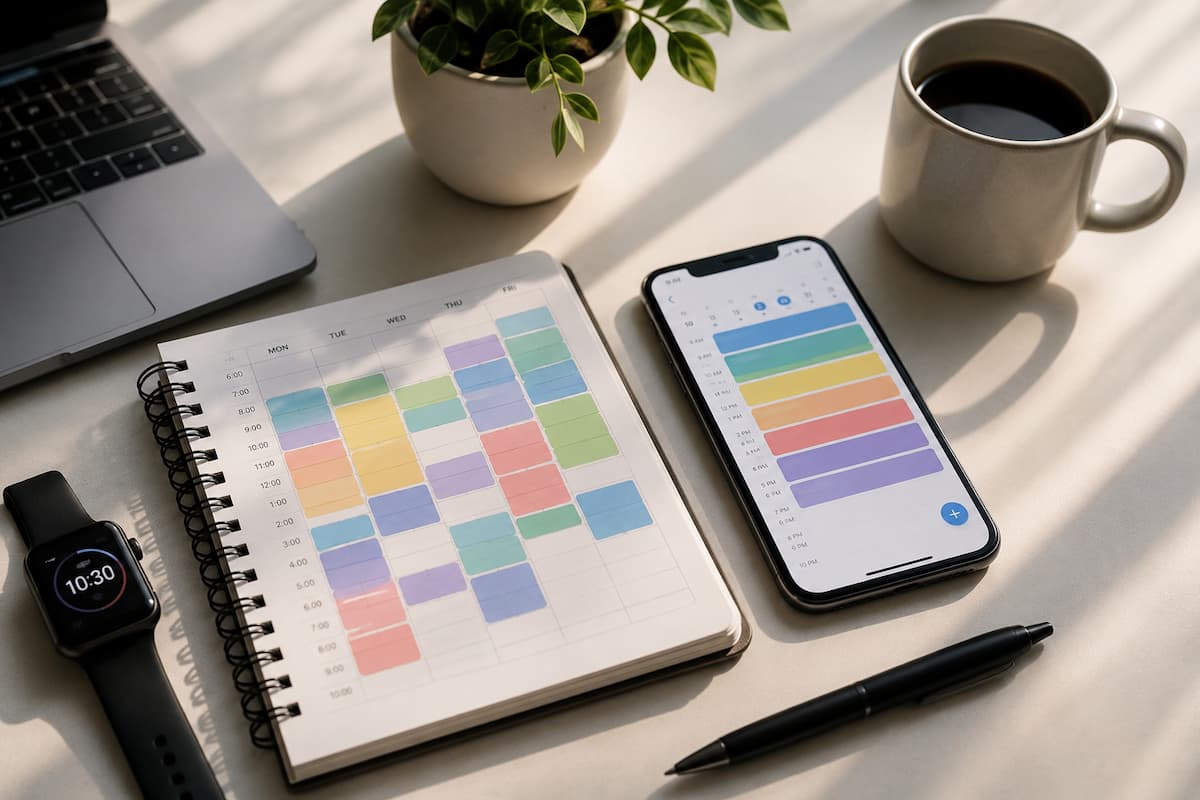
| Google Calendar | Time-blocking backbone | Created color-coded blocks for deep work, meetings, breaks, and admin tasks every evening for the next day |
| Forest | Focus and phone distraction | Planted a virtual tree for every 60-minute work session; if I touched my phone, the tree died |
| Notion | Daily log and task tracking | Logged what I planned, what I actually did, and any distractions that pulled me off track |
| RescueTime | Automatic time tracking | Ran silently in the background to show me exactly where my computer time went |
The key here was integration, not isolation. Google Calendar gave me the structure. Forest kept my phone away. Notion captured my thoughts. RescueTime held me accountable with data I could not argue with.
Week 1: The Adjustment Period Was Brutal
The first week felt like trying to drive with the parking brake on. I had scheduled a 90-minute writing block at 9:00 AM on Monday. By 9:20, I was already checking email. By 9:35, I was on Twitter. My tree in Forest died three times that morning alone.
Here is what I learned fast: time-blocking only works if you treat the blocks as non-negotiable. I started adding buffer blocks between major tasks. A 15-minute gap after a 90-minute writing session gave my brain a reset without derailing the whole day.
I also realized my energy levels were not matching my schedule. I had put deep work in the afternoon when my focus was already shot. By day five, I flipped my schedule. Mornings became deep work time. Afternoons became email and admin. That one change made the rest of the experiment possible.
Week 2: Finding My Rhythm
Something clicked in the second week. I stopped fighting the system and started using it. My morning routine became automatic: wake up, coffee, review my calendar blocks for the day, then dive straight into the first block.
I started using a simple rule: no email before noon. This was the single biggest productivity hack I discovered. Email is a reactive task. It pulls you into other people’s priorities. By blocking it until after lunch, I protected my most productive hours for my own work.
My Notion log from week two shows a clear pattern. Days where I followed the calendar exactly had 40% more completed tasks than days where I “adjusted on the fly.” The data was undeniable. Structure beat flexibility, at least for me.
Week 3: The Mid-Experiment Crisis
By week three, I hit a wall. Not because the system failed, but because I got overconfident. I started adding more blocks, squeezing in extra tasks, and cutting break time. By Wednesday, I was burned out. My focus dropped. My trees kept dying. My RescueTime report showed I was spending more time in “uncategorized” browsing than in week one.
This was a critical lesson: time-blocking is not about cramming more into your day. It is about doing less, better. I scaled back. I reintroduced a 30-minute lunch break away from my desk. I added a 20-minute walk block in the late afternoon. My output did not drop. It actually improved because the quality of my focused time went up.
Week 4: The Results Start Showing
In the final week, everything stabilized. I was not thinking about the system anymore. I was just using it. My calendar looked like this on a typical day:
- 7:00 – 7:30 AM: Morning routine (no phone)
- 7:30 – 9:30 AM: Deep work block #1 (writing or creative tasks)
- 9:30 – 9:45 AM: Break (stretch, water, quick walk)
- 9:45 – 11:15 AM: Deep work block #2 (project work)
- 11:15 – 12:00 PM: Light admin or planning
- 12:00 – 1:00 PM: Lunch (away from desk)
- 1:00 – 2:30 PM: Email and communication
- 2:30 – 3:00 PM: Break
- 3:00 – 4:30 PM: Meetings or collaborative work
- 4:30 – 5:00 PM: Review day and plan tomorrow
This schedule gave me roughly 4.5 hours of focused work per day, which research suggests is near the upper limit of sustainable deep work for most people. Before the experiment, I was lucky to get 2 hours of real focus.
What the Data Revealed: Before vs. After
RescueTime gave me hard numbers. Here is what 30 days of data looked like compared to my baseline:
| Metric | Before Experiment | After 30 Days | Change |
|---|---|---|---|
| Average daily productive time | 2.1 hours | 4.6 hours | +119% |
| Time on social media (daily) | 1.8 hours | 0.4 hours | -78% |
| Tasks completed per day | 4.2 | 7.8 | +86% |
| Days ending with unfinished priorities | 4 out of 5 | 1 out of 5 | -75% |
| Self-reported stress level (1-10) | 7.2 | 4.1 | -43% |
The stress reduction surprised me the most. I expected to feel more pressure with a rigid schedule. Instead, I felt less. Knowing exactly what I was supposed to be doing at any moment removed the low-level anxiety of “what should I do next?”
What Did Not Work (And What I Dropped)
Not everything in this experiment was a win. Here is what I abandoned:
- Overly detailed blocks: I tried scheduling in 15-minute increments. It was exhausting and impossible to maintain. 60 to 90-minute blocks worked far better.
- Color-coding every subtask: I started with ten colors in Google Calendar. It looked pretty but added no value. I simplified to four colors: deep work, admin, meetings, and personal.
- Trying to block every minute: Leaving 10-15% of the day unscheduled gave me flexibility for unexpected tasks without breaking the whole system.
Practical Steps to Start Your Own 30-Day Experiment
If you want to try this yourself, here is exactly how to begin without overwhelming yourself:
- Pick one calendar app and block just your mornings for the first week. Do not try to schedule the entire day yet.
- Identify your peak energy window and put your hardest task there. For most people, this is the morning. Protect it at all costs.
- Add one focus tool like Forest or a simple phone timer. The goal is to make distraction visible and costly.
- Log your days in a simple notebook or app. Write down what you planned, what you did, and what interrupted you.
- Review weekly not daily. One bad day does not mean the system failed. Look at trends across five days.
- Adjust after two weeks based on your data, not your feelings. If your logs show you are consistently skipping a block, ask why and redesign it.
Final Thoughts: Will I Keep Doing This?
Yes, but with modifications. I will keep the morning deep work blocks and the no-email-before-noon rule. Those are non-negotiable now. I will keep using Google Calendar and Notion because they have become part of my workflow. Forest will stay on my phone, though I use it less now because the habit of not checking my phone has stuck.
RescueTime was useful for the experiment but I will probably check it monthly instead of daily. The awareness it created is more valuable than the constant monitoring.
The biggest takeaway after 30 days is this: productivity is not about willpower. It is about designing an environment where doing the right thing becomes easier than doing the wrong thing. Time-blocking and a few well-chosen apps gave me that environment. They might do the same for you.
“You do not rise to the level of your goals. You fall to the level of your systems.” — James Clear
Quick Summary: What Worked in 30 Days
- Time-blocking doubled my productive hours from 2.1 to 4.6 per day
- Blocking email until noon was the single most effective change
- 60-90 minute work blocks beat 15-minute micro-scheduling
- Rest blocks are as important as work blocks for sustainable output
- Logging daily activity revealed patterns I never would have noticed otherwise
- Simple tools beat complex systems every time
- Productivity improved, but stress dropped even more dramatically

Abdul Rahman is a digital lifestyle writer and researcher who focuses on productivity, smart technology, personal finance, and practical home improvement tips. Through ZapKido, he shares simple, beginner-friendly guides designed to help readers build smarter habits, improve daily efficiency, and live a more organized digital life.