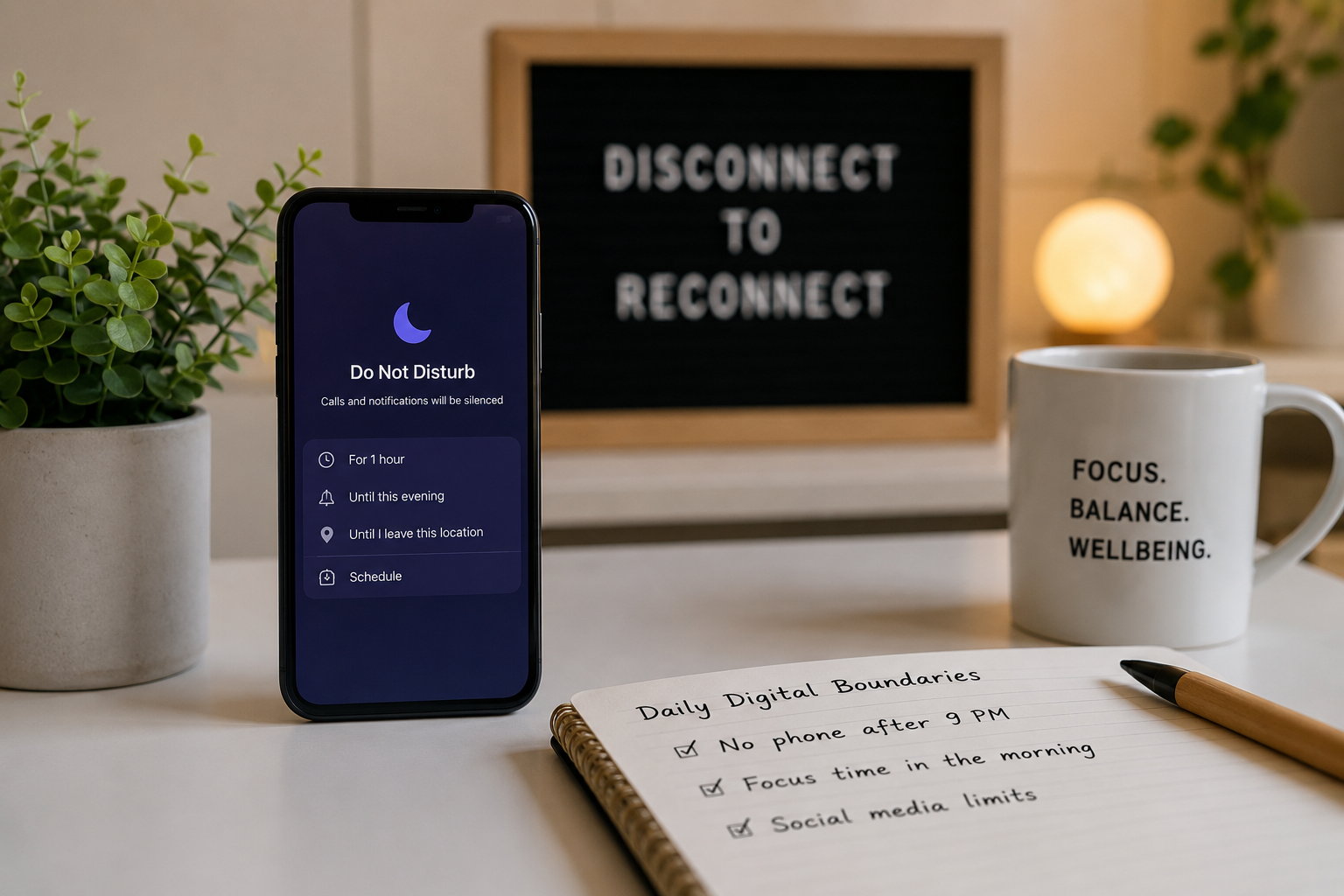
By limiting device usage time, creating technology-free spaces, and strictly controlling push notifications, we can set digital boundaries. With these clear rules, people can significantly reduce screen fatigue and improve their mental health and daily lives in a more balanced and efficient way.
Smartphones and laptops constantly grab our attention, making it difficult to disconnect from work and social activities. This constant online presence is often a cause of mental fatigue, sleep disorders, and concentration problems. Many people report checking their emails in the evening or scrolling through Facebook after waking up.
People can regain control over their time and thoughts by setting limits on their technology use. Digital boundaries act as a barrier and protect you from internet information that can have a negative impact on your personal health. Setting these boundaries does not mean giving up technology entirely, but rather building a healthier, more meaningful relationship with your devices.
This guide walks you through practical strategies for creating more effective digital boundaries. Readers learn how to create technology-free zones, control distracting notifications, and separate work and spare time. You can use these techniques regularly to reduce stress and build a more balanced daily life.
Why Do Digital Boundaries Matter for Mental Health?
Constant exposure to digital stimuli keeps the human brain in a state of high alert. Every notification triggers a small release of dopamine, which encourages compulsive checking behaviours. Over time, this constant neurological loop can increase baseline anxiety and make it difficult to relax during off-hours. According to research published by the American Psychological Association in 2023, constant device checkers report significantly higher stress levels than those who limit their digital interactions.
Without clear digital boundaries, the line between professional obligations and personal life disappears. Remote workers are especially vulnerable to this overlap, often working longer hours simply because their laptop is always accessible. This lack of separation accelerates occupational burnout and leaves individuals with little energy for hobbies, exercise, or family interactions.
Implementing digital boundaries allows the nervous system to rest and recover. When you step away from screens, your brain shifts away from reactive thinking and enters a more reflective, relaxed state. This downtime is absolutely crucial for emotional regulation, creative problem-solving, and maintaining long-term psychological health.
How Can You Establish Tech-Free Zones in Your Home?
The physical environment plays a massive role in shaping human behaviour. If a smartphone is sitting on the dinner table, the temptation to check it becomes nearly irresistible. When you establish specific rooms or areas in your home where technology is strictly prohibited, you create natural friction that makes mindless scrolling much more difficult.
The bedroom is the most critical area to designate as a tech-free zone. The blue light emitted by screens suppresses melatonin production, which directly interferes with the body’s natural sleep cycle. Instead of using a smartphone as an alarm clock, purchase a traditional digital or analogue clock. Keep chargers in the living room or kitchen so that devices do not even enter the bedroom at night.
Other excellent tech-free zones include the dining room and the bathroom. To enforce these boundaries successfully, try implementing the following steps:
- Place a small basket near the front door where family members can deposit their phones during meals.
- Keep physical books or magazines in areas where you might normally reach for a device.
- Verbally communicate these new household rules to your family or roommates so everyone can support the initiative.
What Are the Best Ways to Manage Smartphone Notifications?
Software developers design push notifications to interrupt your current activity and pull your attention back to an application. Leaving all notifications enabled guarantees a fragmented day filled with constant distractions. Taking control of these alerts is one of the fastest ways to improve daily focus.
Start by navigating to your smartphone’s settings menu and disabling all non-essential notifications. Social media updates, retail promotions, and news alerts rarely require immediate attention. Leave notifications active only for essential communication channels, such as phone calls from family members or direct text messages.
Choose batched notifications if deep focus matters more than immediate responsiveness. Many modern smartphones offer “Focus Modes” or “Do Not Disturb” schedules that mute alerts during specific working hours. You can programme your device to deliver a summary of missed notifications at 5:00 PM, ensuring you stay informed without sacrificing your concentration throughout the day.
How Do You Set Screen Time Limits for Work and Leisure?
Time limits provide a concrete framework for daily technology consumption. Without a predefined schedule, a five-minute break to check social media can easily stretch into an hour of wasted time. Establishing a structured schedule helps individuals enjoy their digital entertainment without letting it consume their entire evening.
For professional tasks, try utilising the Pomodoro Technique. This time-management framework involves working on a task for 25 minutes, followed by a five-minute screen-free break. During that short break, stand up, stretch, or look out a window to reduce eye strain. This structured approach prevents the fatigue that typically accompanies prolonged screen exposure.
When managing leisure screen time, built-in digital well-being tools are highly effective. Apple’s Screen Time and Google’s Digital Wellbeing allow users to set strict daily time limits for specific applications.
- Identify the applications that consume the most of your spare time.
- Set a daily limit of 30 to 45 minutes for those specific apps.
- When the daily timer expires, respect the boundary and close the application until the following day.
Taking Control of Your Digital Habits Today
Reclaiming your attention from digital devices requires consistent effort and clear rules. By designating tech-free zones, silencing disruptive notifications, and enforcing strict screen time limits, you can build a daily routine that prioritises your physical and mental health over digital consumption.
Start small to achieve long-term success. Choose one strategy from this guide—like keeping your smartphone out of the bedroom tonight—and practice it for a week. Once that single boundary becomes a natural habit, you can begin introducing additional limits to further protect your time and energy.
Frequently Asked Questions
How long does it typically take to establish healthy digital boundaries?
Behavioural changes generally take between 21 and 66 days to become automatic habits. When establishing digital boundaries, users typically experience a withdrawal phase for the first few days, followed by increased mental clarity within the first two weeks of consistent boundary enforcement.
What are the best apps for limiting daily screen time?
Freedom and Forest are highly recommended applications for limiting screen time. Choose Freedom if blocking distracting websites across multiple devices matters more to you. Choose Forest if you respond well to positive reinforcement, as the app visualises your focused time by growing a virtual tree.
How can remote workers separate their professional and personal digital lives?
Remote workers should establish a dedicated physical workspace and strictly log off at a specific time each day. Additionally, removing work-related applications like Slack or Microsoft Teams from personal mobile devices ensures that professional notifications do not intrude on evening relaxation.

Abdul Rahman is a digital lifestyle writer and researcher who focuses on productivity, smart technology, personal finance, and practical home improvement tips. Through ZapKido, he shares simple, beginner-friendly guides designed to help readers build smarter habits, improve daily efficiency, and live a more organized digital life.